Introduction
Picture this: your sales rep sits down at 9 AM, coffee in hand, ready to crush their quota. By 10 AM, they've made 20 calls. But here's the uncomfortable truth — out of those 20 attempts, maybe 6 actually connected to a live person. The rest? Voicemails, busy tones, wrong numbers, and the soul-crushing silence of an unanswered ring.
This is the reality of manual dialing. And it's quietly bleeding your sales team's productivity every single day.
In today's hyper-competitive sales environment, efficiency isn't just a nice-to-have — it's a survival skill. The teams that win are the ones that maximize every minute their reps spend on the phone. That's where auto dialers come in.
Auto dialers have transformed the way modern sales teams operate. From small startups running lean outbound campaigns to enterprise contact centers managing thousands of daily calls, auto dialers eliminate the wasted motion between conversations and keep reps doing the one thing that actually generates revenue: talking to prospects.
In this blog, we'll break down exactly how auto dialers work, why they matter for your team's efficiency, and what to look for when choosing the right solution.
What Is an Auto Dialer?
An auto dialer is a software system that automatically dials phone numbers from a contact list and connects answered calls to a live sales representative — or plays a pre-recorded message when a voicemail picks up.
Instead of a rep manually looking up a number, dialing it, waiting through rings, hitting voicemail, hanging up, logging the attempt, and repeating the process, the auto dialer handles all of that mechanically. The rep simply waits for a live connection to appear in their headset.
It sounds simple. The impact, however, is anything but.
The Core Types of Auto Dialers
Not all auto dialers are built the same. Understanding the different modes helps you match the right tool to your team's specific workflow.
Predictive Dialer The most powerful and aggressive mode. A predictive dialer uses algorithms to forecast when a rep will finish their current call and begins dialing the next contact before the call even ends. It simultaneously dials multiple numbers at once, only connecting the rep when a human answers. This maximizes talk time but requires a larger team to avoid dropped or abandoned calls.
Power Dialer A power dialer dials one number per rep at a time — but automatically, the moment a rep completes a call. No waiting, no manual input. It's a steady, controlled pace that works well for smaller teams or campaigns where call quality is prioritized over sheer volume.
Preview Dialer Before the call connects, the rep sees the contact's information and has a few seconds to prepare. This mode sacrifices speed for personalization — ideal for high-value accounts or complex B2B sales cycles where context matters before you even say hello.
Progressive Dialer Similar to a power dialer but with a slight delay built in. The system automatically moves to the next call after a set interval, giving reps a brief moment to breathe and take notes between conversations.
Each mode solves a different problem. But all of them eliminate the most wasteful part of your rep's day: the time spent doing everything except actually talking to a prospect.
The Real Cost of Manual Dialing
Before we get into the benefits of auto dialers, it's worth understanding what manual dialing actually costs your team — because most sales leaders dramatically underestimate it.
Time Wasted on Dead Air
Research consistently shows that sales reps using manual dialing spend only 20 to 35 minutes per hour in actual conversation with prospects. The rest — anywhere from 25 to 40 minutes — is spent on the mechanical process of dialing, waiting, and navigating voicemails.
That means in an 8-hour workday, your rep might be doing actual sales work for only 3 to 4 hours. You're paying for 8.
The Voicemail Vortex
Industry data suggests that roughly 80% of cold calls go to voicemail. With manual dialing, every one of those voicemails eats time. The rep has to listen to the greeting, wait for the beep, decide whether to leave a message, record one, hang up, log the attempt, and move on. That's 60 to 90 seconds per voicemail — and if a rep makes 100 calls a day, they're spending close to two hours just dealing with voicemails.
Manual CRM Logging
After each call, reps are expected to log notes, update contact status, and schedule follow-ups in the CRM. Without automation, this is done manually — which means it's often done poorly, inconsistently, or not at all. This creates data hygiene problems that compound over time, making it harder to forecast accurately and manage pipelines effectively.
Rep Burnout
There's a psychological cost too. Repetitive manual tasks — the endless dial-wait-hang up cycle — erode motivation. Reps hired for their communication skills and competitive drive end up spending their energy on administrative tasks. Over time, this leads to disengagement, lower performance, and higher attrition. Replacing a sales rep costs a company anywhere from 50% to 200% of that rep's annual salary.
Auto dialers address every single one of these problems.
How Auto Dialers Actually Improve Efficiency
1. Dramatically More Talk Time
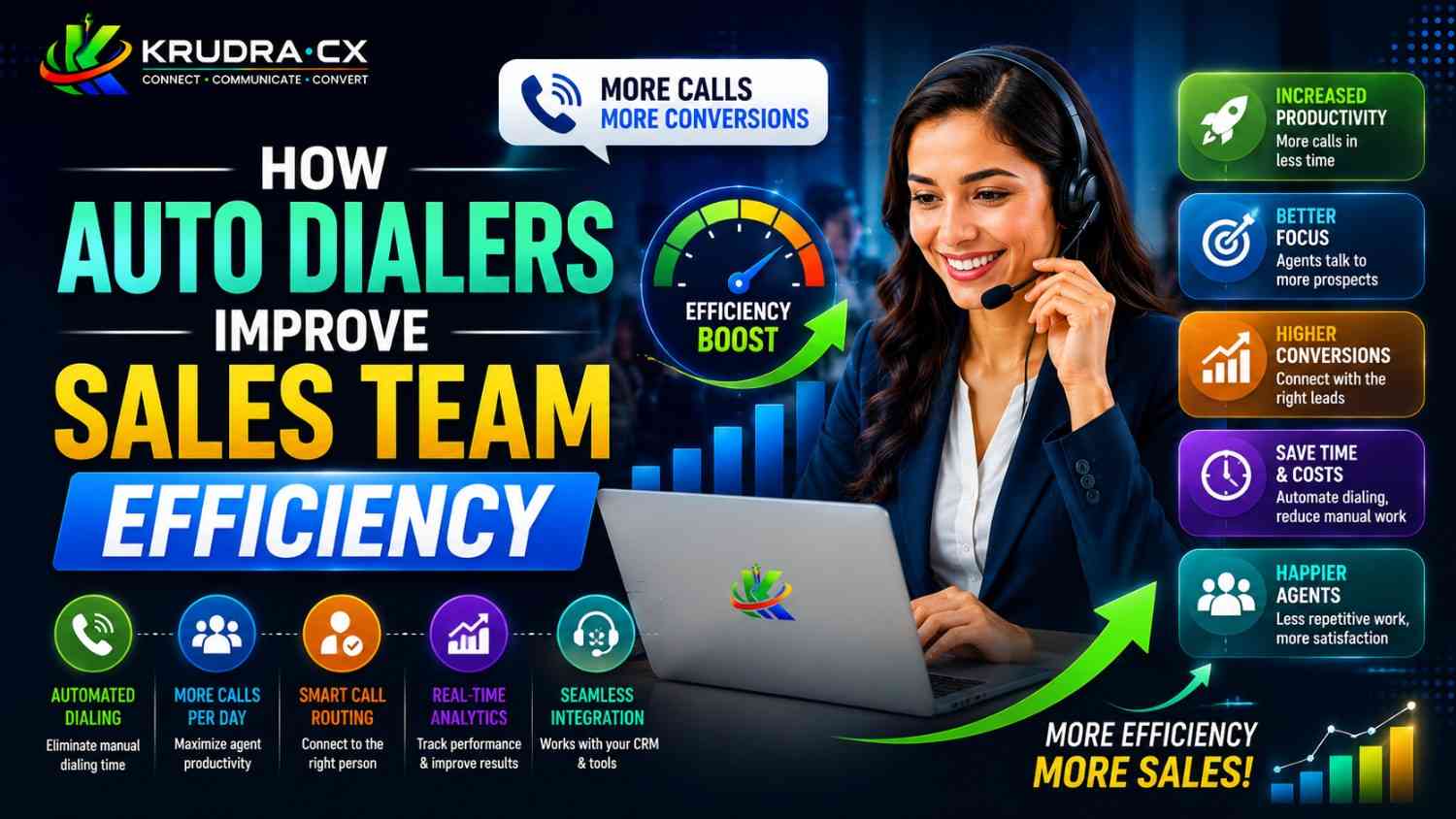
This is the headline benefit, and the numbers are striking. Teams using predictive dialers regularly report talk time increases of 200% to 300% compared to manual dialing. Where a rep might average 25 minutes of conversation per hour manually, an auto dialer can push that to 45 to 55 minutes per hour.
More talk time means more conversations. More conversations mean more qualified leads, more demos booked, and more deals closed — all without adding headcount.
2. Intelligent Call Pacing
Auto dialers don't just dial faster — they dial smarter. Predictive dialers continuously analyze call data in real time: average call duration, connection rates by time of day, rep availability, and more. They adjust dialing speed dynamically to minimize wait time for reps while keeping abandoned call rates within compliant limits.
This means your team is always operating at peak efficiency, not too fast and not too slow — calibrated automatically based on what's actually happening in the campaign at that moment.
3. Voicemail Drop
One of the most beloved features among outbound sales teams. Voicemail drop allows a rep to press a single button to leave a pre-recorded, professionally crafted voicemail message — instantly — and immediately move on to the next call while the recording plays out.
Instead of listening to a greeting, waiting for the beep, and reciting the same 30-second script for the hundredth time that day, the rep dispatches the voicemail in under a second and is already on the next call. This alone can save each rep 60 to 90 minutes every single day.
4. Local Presence Dialing
Connection rates are strongly influenced by whether the number calling appears local to the prospect. When a call comes in from an unfamiliar area code — especially one clearly associated with a call center — people don't pick up.
Auto dialers with local presence capabilities automatically display a phone number that matches the area code of the contact being called. Studies show that local presence dialing improves answer rates by 30% to 50%. More answered calls means more conversations, without dialing a single extra number.
5. Automated CRM Sync
Modern auto dialers integrate directly with CRM platforms like Salesforce, HubSpot, Zoho, and others. Call outcomes, notes, and dispositions sync automatically after each call. Reps can log the result of a call in one click — or the system can detect and log certain outcomes automatically.
This does two things: it saves reps an estimated 20 to 30 minutes of administrative work per day, and it dramatically improves CRM data quality. Sales leaders get cleaner pipeline visibility, more accurate forecasting, and better insight into what's working and what isn't.
6. Real-Time Monitoring and Coaching
Auto dialers typically come with a supervisor dashboard that shows live call metrics across the entire team — who's on a call, call duration, talk-to-dial ratios, and more. Many platforms include features like call listening (monitoring a live call silently), call whisper (coaching a rep mid-call without the prospect hearing), and call barge (joining a call when needed).
This turns managers from reactive coaches who review recordings at the end of the week into proactive coaches who can intervene in real time. A rep struggling with an objection can get guidance in the moment, right when it matters.
7. Compliance Management
Regulatory compliance — particularly around TCPA in the US, GDPR in Europe, and various national do-not-call lists — is a significant risk for any outbound sales operation. Violations can result in fines that run into the thousands or even millions of dollars per incident.
Good auto dialers handle compliance automatically. They scrub contact lists against do-not-call registries, enforce calling time restrictions based on time zones, maintain consent records, and generate compliance reports. This removes the compliance burden from individual reps and ensures the organization is protected at the system level.
Auto Dialers and Sales Rep Experience
It's worth addressing a concern that sometimes comes up: do auto dialers make sales reps feel like call center drones? Do they remove the human element from selling?
Done well, the answer is no — they do the opposite.
When a rep isn't exhausted by the mechanical grind of manual dialing, they bring more energy and focus to each actual conversation. They've freed up mental bandwidth that was previously consumed by administrative tasks. They can be more present, more curious, and more effective with each prospect.
Auto dialers remove the parts of the job that no one got into sales to do. They amplify the parts that great sales reps actually love — the conversation, the connection, the challenge of understanding a prospect's problem and articulating a solution.
Many sales teams report that rep satisfaction improves after implementing an auto dialer, precisely because the tool respects their time and directs it toward meaningful work.
What to Look for in an Auto Dialer
If you're evaluating auto dialer solutions for your team, here are the key criteria to guide your decision.
Integration with Your CRM
Your dialer should connect seamlessly with the CRM your team already uses. Look for native integrations rather than workarounds, and confirm that data syncs in both directions — calls logged in the dialer should appear in the CRM, and contact updates in the CRM should reflect in the dialer.
Compliance Features
Ensure the platform has built-in TCPA compliance tools, do-not-call list scrubbing, time-zone-based call scheduling, and audit logs. Compliance isn't optional — it's a legal and financial necessity.
Scalability
Can the platform handle your team's current size and grow with you? Check call capacity limits, concurrent dialing capabilities, and whether pricing scales reasonably as you add seats.
Analytics and Reporting
Look for dashboards that give you real-time and historical visibility into KPIs like connect rate, talk time per rep, calls per hour, conversion rate by list, and campaign performance. The best platforms let you slice data by rep, team, campaign, and time period.
Ease of Use
A dialer your reps won't adopt is a dialer that doesn't work. Prioritize clean, intuitive interfaces. Ask for a demo and have a few reps try it before committing.
Support and Reliability
Uptime matters enormously in a real-time dialing environment. Look for vendors with strong SLAs, responsive support, and a track record of reliability. Downtime during a campaign is directly lost revenue.
Common Myths About Auto Dialers
"Auto dialers only work for large call centers." False. Modern auto dialer solutions scale down to teams of 3 to 5 reps. Cloud-based platforms have made enterprise-grade dialing technology accessible to SMBs at a fraction of the historical cost.
"Auto dialers feel spammy and damage brand reputation." This is about how you use the tool, not the tool itself. A targeted, well-timed, personalized outreach campaign run through an auto dialer is no more spammy than a manual one — and significantly more efficient.
"Our team is too specialized for auto dialing." Even highly consultative, complex B2B sales teams benefit from preview or power dialing modes. You don't have to sacrifice personalization for efficiency. Preview dialers show rep the contact's full history before the call connects — giving them everything they need to open with relevance.
"The setup is too complicated." Cloud-based auto dialers today deploy in hours, not weeks. Most platforms integrate with major CRMs out of the box. With proper onboarding support, a team can be fully operational within a day or two.
Measuring the Impact: Key Metrics to Track
Once your auto dialer is live, here's how to measure whether it's actually working:
Talk Time per Rep per Hour — The foundational efficiency metric. You should see this increase significantly within the first week. Target 45+ minutes per hour with a predictive dialer.
Calls per Rep per Day — Track volume before and after implementation. Most teams see a 2x to 4x increase.
Connect Rate — The percentage of dials that result in a live conversation. Local presence dialing and smart scheduling should push this upward.
Conversion Rate per Connected Call — This tells you whether efficiency gains are translating into outcomes. If connect rate goes up but conversion rate drops, your reps may be burning through contacts too quickly without adequate preparation.
Cost per Qualified Lead — The ultimate efficiency metric. As talk time increases and CRM data improves, your cost to generate a qualified opportunity should decrease.
Rep Ramp Time — How long it takes a new hire to reach full productivity. Auto dialers with coaching tools can significantly shorten this window.
Track these weekly for the first 60 days post-implementation. Adjust dialing mode, pacing, and campaign targeting based on what the data tells you.
The Competitive Reality
Here's the uncomfortable question: if your competitors are already using auto dialers and your team isn't, what does that mean for the race to connect with the same pool of prospects?
It means they're reaching people first. In many sales contexts — particularly in high-velocity B2B or financial services outbound — speed to contact is everything. The rep that reaches a prospect first has a significant conversion advantage.
Auto dialers don't just improve your team's internal efficiency. They change your competitive position in the market. They're the difference between a team that operates at human speed and one that operates at technology speed — while still being powered by human relationships.
Conclusion
Sales is ultimately a human endeavor. No software closes a deal — a person does. But the gap between a great sales conversation and a missed opportunity is often not skill. It's access. It's whether your rep actually got on the phone with the right person at the right time.
Auto dialers solve the access problem. They clear away the mechanical friction between your rep and the next meaningful conversation. They maximize the hours your team invests, extract more value from every lead list, and create the conditions where talented salespeople can actually do what they were hired to do.
The teams winning outbound sales in 2025 and beyond aren't necessarily the ones with the biggest headcount or the biggest budgets. They're the ones that have engineered their process to get the most out of every rep, every hour, every call.
An auto dialer is one of the highest-leverage investments a sales leader can make. The technology is mature, the ROI is measurable, and the barrier to entry has never been lower.
The only question is: how much longer can you afford to dial manually?
Want to see how Krudra CX helps sales teams implement smarter dialing solutions? Connect with us at @krudracx.