Introduction: The Silent Killer of Outbound Call Centers
Walk onto any outbound call center floor and you'll notice something within the first ten minutes: agents sitting quietly, staring at screens, waiting. Waiting for a number to dial. Waiting for a call to connect. Waiting for the next lead to load. That waiting has a name in the industry — idle time — and it is, without exaggeration, the single largest hidden cost in outbound calling operations today.
A single agent making manual calls typically spends only 15 to 20 minutes of every hour actually talking to a prospect. The rest disappears into dialing, listening to rings, hitting voicemail, and waiting for the CRM to refresh. Multiply that gap across a team of 50 agents working eight-hour shifts, and a business is effectively paying full salaries for work that happens less than a third of the time.
This is the exact problem predictive dialer software was built to solve. And in 2026, with labor costs rising, customer acquisition getting harder, and compliance regulations tightening, the difference between a call center that thrives and one that bleeds money often comes down to whether its dialing technology is doing the heavy lifting — or whether its agents are.
This guide breaks down everything a sales leader, RevOps manager, or call center operations head needs to know before choosing predictive dialer software in 2026: how it actually works under the hood, what separates a good system from a mediocre one, the compliance landmines to avoid, and a practical framework for evaluating vendors.
What Is a Predictive Dialer, Really?
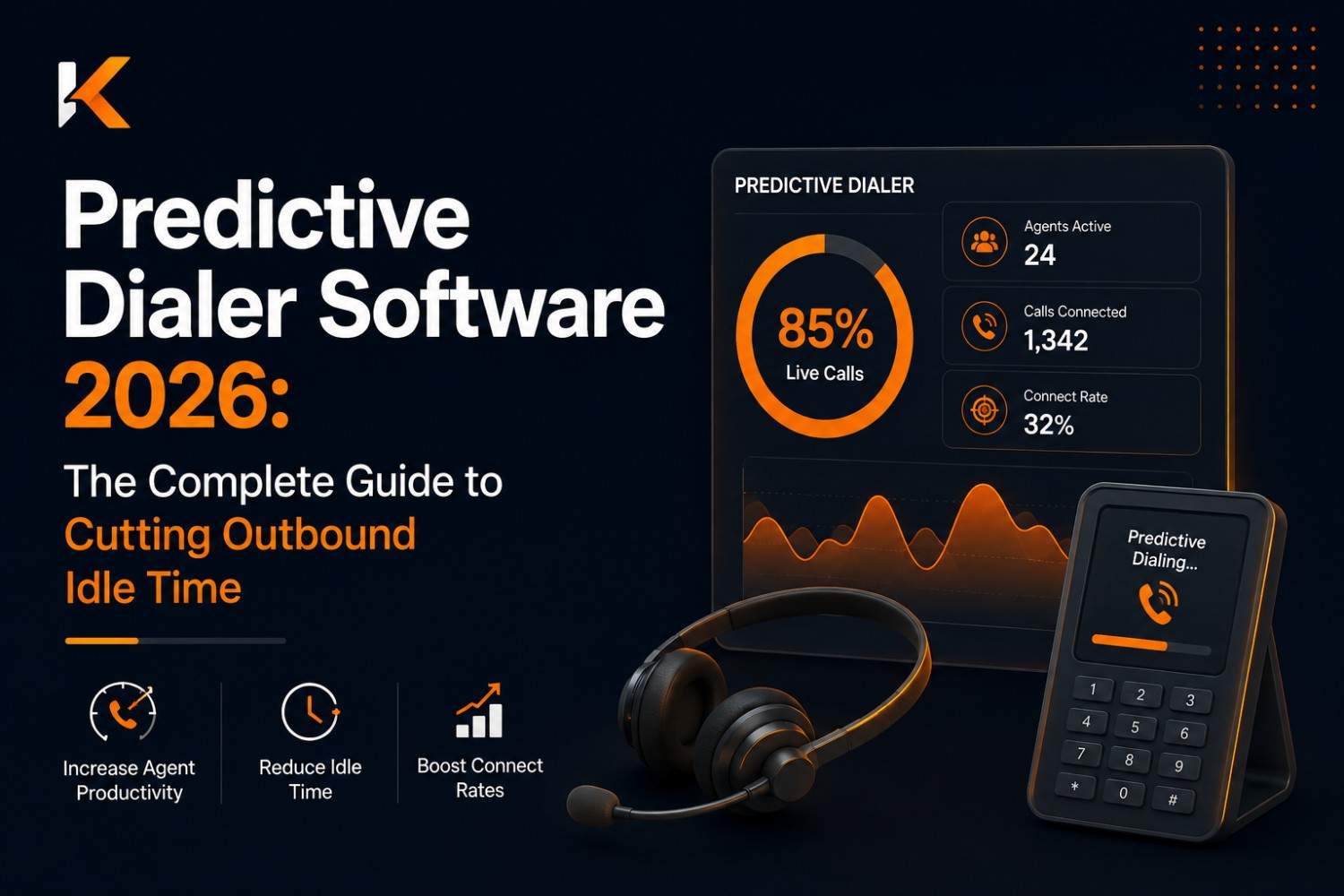
A predictive dialer is an automated outbound calling system that dials multiple phone numbers simultaneously — before an agent becomes available — using statistical modeling to predict when a live agent will be free to take the next connected call. The moment a call is answered by a human, the system routes it instantly to an available agent. Calls that go unanswered, hit voicemail, or connect to a fax machine are automatically discarded without ever touching an agent's time.
The word "predictive" is doing real work in that name. Unlike simpler auto-dialers that call one number per agent in sequence, a predictive dialer runs a live statistical model in the background, constantly recalculating:
- How many agents are currently on calls
- The average call handling time across the campaign
- The average number of dials it takes to reach a live person
- How long agents typically take to wrap up a call before they're ready for the next one
Based on these numbers, the system decides how many lines to dial ahead of time so that, statistically, a new live connection lands in an agent's queue right as they finish their previous call — minimizing the gap between calls to seconds instead of minutes.
Done well, this transforms an agent's day from "dial, wait, dial, wait" into "talk, talk, talk," with the system absorbing all the dead time that used to sit between conversations.
The Real Cost of Not Using a Predictive Dialer
Before getting into features and vendor selection, it's worth putting a number on the problem, because "agent idle time" sounds abstract until it's translated into payroll.
Consider a mid-sized outbound team:
- 40 agents
- Average fully loaded cost per agent: $2,800/month
- Manual dialing contact rate: roughly 8–10 connected conversations per hour per agent
- Predictive dialing contact rate: roughly 25–35 connected conversations per hour per agent
That's not a marginal improvement — it's a 2.5x to 3x increase in the number of live conversations each agent can have in the same shift. For a 40-agent team, that's the equivalent output of adding 60–80 additional agents without hiring a single new person.
Beyond raw dial volume, manual dialing also introduces:
- Agent fatigue and turnover. Repetitive, low-reward manual dialing is one of the most cited reasons call center agents burn out and leave within their first 90 days.
- Inconsistent lead follow-up. Manually dialed lists are prone to human error — numbers get skipped, retried too early, or forgotten entirely.
- No real-time visibility. Without dialer-level reporting, managers are flying blind on which campaigns are converting and which are quietly wasting hours.
When leadership asks "why is our cost per acquisition climbing," the answer is very often sitting in the gap between how many calls agents could be having and how many they actually are.
How Predictive Dialers Actually Work (Without the Jargon)
It helps to understand the mechanics, because this directly affects what to evaluate in a vendor.
1. The pacing algorithm. This is the mathematical core of the system. It tracks live agent availability, average handle time, and abandonment history to decide, second by second, how many outbound lines to dial. A well-tuned pacing algorithm keeps agents almost continuously busy without dialing so aggressively that calls get answered with no agent free to take them.
2. The dial ratio. This is the number of calls dialed per available agent — for example, a 3:1 ratio dials three numbers for every one free agent, based on the statistical likelihood that most of those calls won't connect to a live person. As contact rates improve or worsen throughout the day, the system adjusts this ratio dynamically.
3. Answering machine detection (AMD). Modern predictive dialers use audio pattern recognition to distinguish a human "Hello?" from a voicemail greeting within the first second or two of a pickup, and route only human answers to agents.
4. Abandonment control. This is the most heavily regulated part of the system (more on this below). Because the dialer sometimes connects more calls than there are free agents, some calls get "abandoned" — answered by a human with no agent available. Predictive dialer software must cap this rate and, in most jurisdictions, play a compliant message on abandoned calls.
5. Real-time reallocation. As agents log in, log out, take breaks, or move between campaigns, the algorithm recalculates pacing on the fly, which is why cloud-based predictive dialers with real-time data pipelines outperform older, batch-based systems.
Predictive Dialer vs. Power Dialer vs. Progressive Dialer
This is one of the most common points of confusion for teams evaluating outbound software, and picking the wrong mode for the wrong use case is a frequent, costly mistake.
Progressive Dialer: Dials one number per available agent, one at a time, only after the agent confirms readiness. Zero risk of abandoned calls, but no efficiency gain over manual dialing beyond removing the physical act of dialing.
Power Dialer: Dials a fixed number of lines per agent (commonly 2:1 or 3:1) regardless of real-time conditions. Faster than progressive, but less adaptive — it doesn't recalculate pacing dynamically, so it can either under-dial (wasting agent time) or over-dial (increasing abandonment) depending on how the campaign is actually performing that hour.
Predictive Dialer: Continuously recalculates the ratio in real time based on live statistical modeling. Highest throughput, but requires a larger agent pool (generally 8–10+ agents minimum) to have enough statistical data for the algorithm to work accurately, and requires the tightest compliance controls.
The practical takeaway: teams with fewer than 8–10 agents, or campaigns involving sensitive/regulated outreach (debt collection, healthcare, financial services), are often better served by a power or progressive dialer. Larger outbound teams running high-volume, lower-sensitivity campaigns (sales prospecting, lead qualification, appointment setting) see the strongest ROI from predictive dialing.
Compliance: The Part Too Many Teams Get Wrong
Predictive dialer adoption without a serious compliance framework is one of the fastest ways to turn a productivity win into a legal liability. This section deserves more attention than most vendor sales pages give it.
Abandonment rate limits. In the United States, the Telephone Consumer Protection Act (TCPA) and FCC rules generally require that predictive dialing campaigns keep the abandonment rate under 3% measured over a 30-day period per campaign, and that any abandoned call plays a compliant recorded message within two seconds of the greeting. Similar abandonment-rate and disclosure rules exist under other regional regulators — always confirm current requirements with legal counsel for each market being called into.
Do-Not-Call (DNC) list scrubbing. Predictive dialer software should automatically cross-reference dial lists against internal suppression lists, and, in relevant jurisdictions, national DNC registries, before a number is ever queued for dialing.
Call recording and consent. Many regions require one-party or two-party consent before recording calls. If the platform records for QA or compliance purposes, it needs configurable consent messaging by region.
Time-of-day restrictions. Calling windows are often legally restricted (for example, restrictions on early morning or late evening outbound calls in a given time zone). Good predictive dialer software enforces these automatically based on the lead's local time zone, not the agent's.
Audit trails. Every dial, connection, abandonment, and disposition should be logged and exportable, because in the event of a complaint or audit, the ability to produce a clean call record is what separates a minor issue from a serious regulatory problem.
The rule of thumb for evaluating any vendor: if their sales team can't clearly explain how their abandonment-rate controls, DNC scrubbing, and audit logging work, that's a red flag, not a minor gap.
Key Features to Look for in 2026
The predictive dialer category has matured significantly, and "just dials fast" is no longer a differentiator. Here's what separates strong platforms from the pack this year:
AI-assisted pacing. Beyond traditional statistical pacing, the newest systems use machine learning models trained on historical campaign data to predict contact likelihood by time of day, lead source, and even area code — improving pacing accuracy beyond what rule-based algorithms alone can achieve.
Native CRM and dialer integration. The dialer should sync bidirectionally with the CRM in real time — lead status, call disposition, and notes should flow back automatically, without agents manually re-entering data after every call.
Local presence dialing. Displaying a local area code caller ID (matched to the lead's region) measurably improves answer rates compared to dialing from a single centralized number, and this should be built in, not a costly add-on.
Multi-channel blending. The strongest platforms let the same agent pool handle blended queues — inbound calls, outbound predictive dials, SMS, and even email follow-ups — from a single unified interface, so idle time between outbound calls can be filled with other productive work instead of pure downtime.
Real-time dashboards. Managers need live visibility into contact rate, abandonment rate, average handle time, and agent status without waiting for end-of-day reports.
Script and disposition management. Built-in dynamic scripting that adjusts based on lead data, paired with structured call disposition codes, keeps data clean for reporting and follow-up automation.
Cloud-native architecture. On-premise dialers are increasingly a liability — they're harder to scale, harder to update for evolving compliance rules, and don't support distributed or remote agent teams well. Cloud-based predictive dialers deploy compliance updates centrally and scale agent seats up or down without hardware changes.
Measuring ROI: The Metrics That Actually Matter
Once a predictive dialer is live, the following metrics tell the real story of whether it's working:
- Contact rate — percentage of dials that reach a live person. This should climb noticeably in the first 30–60 days as pacing tunes to the specific campaign.
- Talk time ratio — the percentage of an agent's shift spent in live conversation. This is the single clearest proxy for the idle-time reduction the whole investment is meant to deliver.
- Abandonment rate — must stay within legal limits, but also worth watching as a leading indicator of whether pacing is too aggressive.
- Cost per contact — total campaign cost divided by number of live connections. This typically drops significantly once idle time is removed from the equation.
- Conversion rate per live conversation — this shouldn't change dramatically from manual dialing (a good conversation is a good conversation regardless of how the call was placed), but if it drops sharply, it can signal that pacing is connecting agents too abruptly, without enough context transfer.
A simple 90-day benchmark: compare talk time ratio and cost per contact in the 30 days before go-live versus the 30 days after the system is tuned. Most teams see 2–3x improvement in both metrics when the rollout is done properly.
Common Implementation Mistakes
Turning on predictive mode too early. Predictive dialing needs a baseline of real call data — average handle time, agent availability patterns — to pace accurately. Teams that flip straight to predictive mode on day one, without first running a few weeks in power or progressive mode to build that baseline, often see unstable performance and unnecessarily high abandonment in the first weeks.
Ignoring list hygiene. No dialer, however smart, fixes a dirty lead list. Duplicate numbers, disconnected lines, and unscrubbed DNC entries waste dial capacity and increase compliance risk regardless of how good the pacing algorithm is.
Under-resourcing QA during rollout. The first two to four weeks after go-live is when pacing settings need the closest monitoring. Teams that treat go-live as "flip the switch and walk away" tend to either under-dial (leaving efficiency gains on the table) or over-dial (breaching abandonment thresholds) for weeks before anyone notices.
Choosing dial ratio based on gut feel instead of data. The right ratio is a function of the specific campaign's actual average handle time and contact rate — not an industry rule of thumb copied from a blog post. This needs to be revisited regularly as those numbers shift.
Not training agents on the pace change. Agents used to manual dialing's slower rhythm can be caught off guard by how quickly live calls arrive in predictive mode. A short adjustment period with clear expectations prevents early agent frustration and burnout.
A Practical Vendor Evaluation Checklist
When comparing predictive dialer software, walk through this checklist with each vendor:
- Does the pacing algorithm use real-time recalculation, or fixed batch updates?
- What is the built-in abandonment-rate control, and can it be configured per campaign and per region?
- Is DNC list scrubbing automatic, and does it support both internal suppression lists and regional registries?
- Does the platform support local presence dialing out of the box?
- How does the dialer integrate with the existing CRM — native integration, API, or manual export/import?
- Can the system blend inbound and outbound within the same agent queue?
- What reporting is available in real time versus only in scheduled exports?
- Is the platform cloud-native, and does it support remote/distributed agents without added infrastructure?
- What does onboarding and pacing tuning support look like in the first 30 days — is there a dedicated implementation team, or is it self-serve?
- How transparent is pricing at scale — does cost per seat change meaningfully as the team grows?
Any vendor unwilling to walk through these points in detail, or unable to show a live demo of real-time pacing and compliance controls, isn't ready for a serious evaluation.
Where Predictive Dialing Is Headed in 2026 and Beyond
A few shifts are already reshaping this category:
AI-driven contact scoring. Instead of dialing lists in the order they were uploaded, platforms are increasingly using predictive models to prioritize which leads are statistically most likely to answer and convert right now, based on time of day, past engagement, and firmographic signals — dialing smarter, not just faster.
Sentiment-aware pacing. Some emerging systems are experimenting with adjusting pacing based on real-time sentiment analysis of ongoing calls, slowing dial rates when agents are in unusually complex or high-value conversations that shouldn't be rushed toward wrap-up.
Tighter, more dynamic compliance automation. As regulations around abandonment rates, consent, and call recording continue to evolve across regions, expect dialer platforms to move toward automatically updating compliance rules by jurisdiction, rather than requiring manual configuration changes every time a law shifts.
Deeper omnichannel blending. The line between "call center" and "revenue engagement platform" continues to blur, with predictive dialing becoming one channel among several — voice, SMS, email, and chat — all sequenced by a single orchestration layer rather than operated as separate tools.
Teams evaluating predictive dialer software today should be asking not just "does this solve my idle-time problem now" but "will this platform's roadmap keep pace with where compliance and AI-driven outreach are headed over the next two to three years."
Conclusion: Idle Time Is a Choice, Not a Cost of Doing Business
Every hour an agent spends waiting between calls is an hour the business already paid for and got nothing back on. Predictive dialer software exists to close that gap — not by making agents work harder, but by removing the dead time between conversations so the hours they're already on the clock for actually translate into live, revenue-generating conversations.
The technology isn't new, but the bar for what "good" looks like has moved. In 2026, a predictive dialer isn't just a faster way to place calls — it's a compliance system, a data pipeline, and an efficiency engine that has to work in lockstep with the CRM, the compliance team, and the agents themselves. Getting the pacing algorithm, the compliance controls, and the integration layer right is what separates outbound teams that scale profitably from ones that just get louder without getting better.
Ready to see what predictive dialing looks like when it's done right?
KrudraCX's cloud-based predictive dialer is built with real-time pacing, automatic DNC and compliance controls, native CRM sync, and local presence dialing out of the box — so your team can spend less time waiting and more time closing. Book a free live demo with our team today and see exactly how much idle time your outbound campaigns could be recovering this month. No hardware, no long onboarding cycles — just a system that's ready to scale the moment your agents log in.
Book Your Free KrudraCX Demo →