Here's a brutal truth that most sales managers don't want to face.
Your agents are spending more than half their workday doing something that has absolutely nothing to do with selling. They're dialing numbers. Waiting for rings. Hitting voicemails. Redialing. Marking outcomes manually. Then finding the next number and doing it all over again.
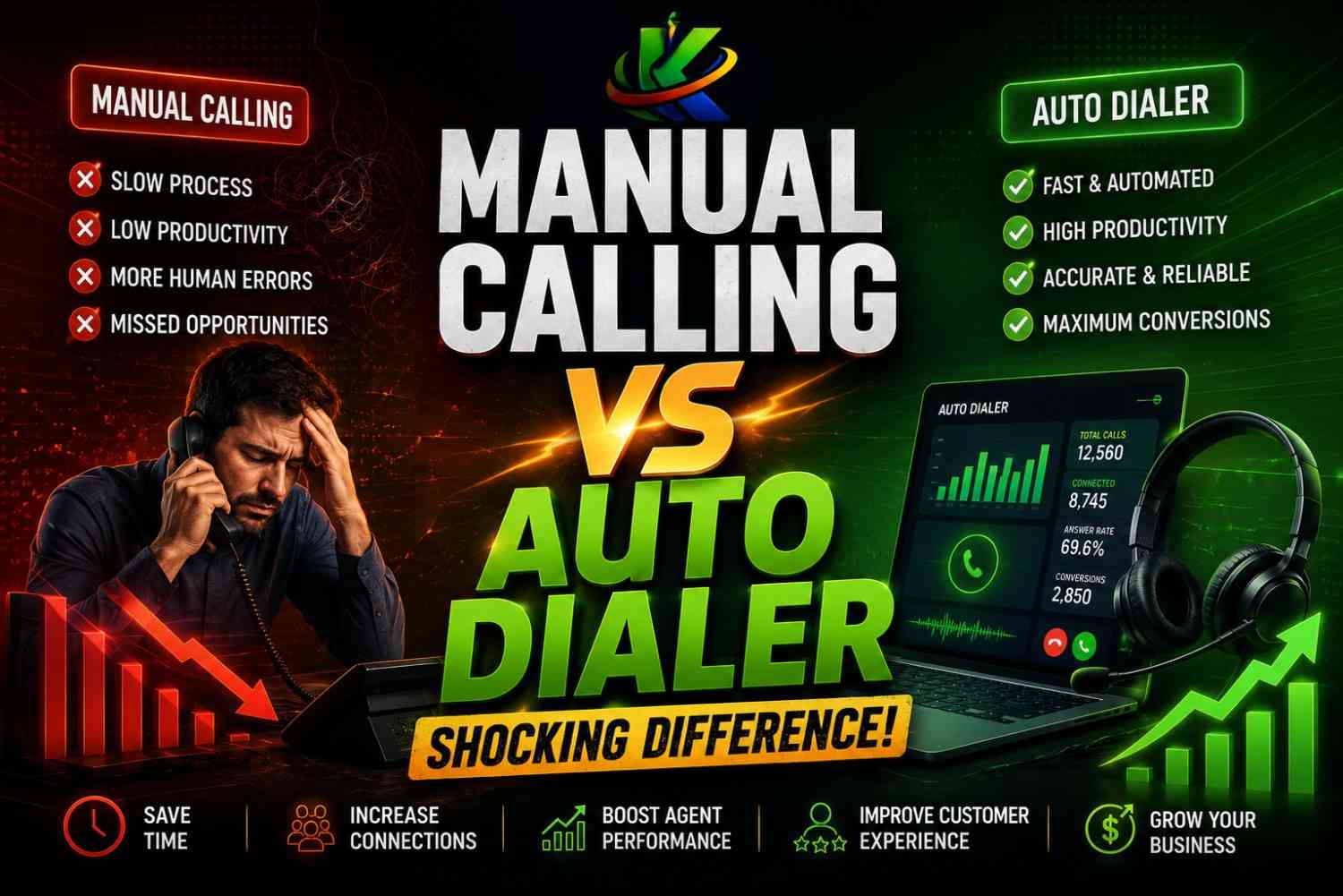
This isn't a people problem. This is a process problem. And if you're running a manual calling setup in 2026, you are essentially asking your sales team to run a marathon in flip-flops while your competitors are wearing performance running shoes.
This blog breaks down the real difference between manual calling and auto dialers — not just the surface-level stuff, but the numbers, the hidden costs, the psychological impact on your agents, and the business outcomes that change the moment you make the switch.
What Is Manual Calling?
Manual calling is exactly what it sounds like. An agent sits at their desk, looks at a contact list, picks up the phone, dials a number, waits for it to ring, and either speaks to whoever answers or deals with a voicemail, busy tone, or disconnected number. Then they manually log the outcome, find the next number, and repeat the entire process.
It feels simple. It feels human. And for decades, it was the only option available.
But the world has changed. Lead volumes have exploded. Customer attention spans have shortened. Competition has intensified. And the cost of a sales agent's time has gone up. Manual calling hasn't kept up with any of these changes — and the gap it's creating in your business is far bigger than most people realize.
What Is an Auto Dialer?
An auto dialer is software that automatically dials numbers from a contact list and connects your agent to the call only when a live human picks up. The dialer filters out busy tones, voicemails, disconnected numbers, fax lines, and no-answers — so your agent never wastes a second on a call that isn't going anywhere.
The moment a real person answers, the system instantly connects the agent and often displays the full customer profile, CRM notes, and call history on their screen before they even say hello.
There are three main types of auto dialers:
Preview Dialer: The agent sees the lead's information before the call is made and manually triggers the dial. Best for high-value B2B sales where context before the call is critical.
Progressive Dialer: The system automatically dials one number at a time and only moves to the next number when the current agent is free. It's a balanced approach — more automated than manual, but with lower risk of dropped calls.
Predictive Dialer: The most powerful type. The system dials multiple numbers simultaneously and uses algorithms to predict when an agent will be available. It maximizes talk time but requires a larger team to handle the volume. Ideal for high-volume outbound campaigns.
The Real Numbers Behind Manual Calling
Before we do the comparison, let's be honest about what manual calling actually produces.
On a good day, a manual calling agent can make somewhere between 40 to 60 call attempts in an 8-hour shift. Of those, roughly 20 to 25 percent will connect to a live human. That means in an entire workday, your agent might have 10 to 15 actual conversations.
Everything else — the other 45 to 50 calls — goes to voicemail, rings out, hits a busy tone, or reaches a wrong number.
Now multiply that across a team of 10 agents over a full month. Your team is making thousands of calls and having meaningful conversations with only a fraction of those contacts. The rest of the time is pure overhead dressed up as productivity.
Here's what makes this even more painful: agents aren't just losing time on failed calls. They're losing energy. There is a well-documented psychological phenomenon in sales where repeated rejection — even impersonal rejection like a voicemail — causes mental fatigue, reduces confidence, and directly impacts the quality of conversations when a real connection is finally made. By 3 PM on a manual calling day, the same agent who started energetically at 9 AM is now less sharp, less enthusiastic, and less persuasive.
You're not just losing time. You're degrading performance over the course of the day.
Manual Calling vs Auto Dialer: The Head-to-Head Breakdown
1. Call Volume
Manual calling: 40 to 60 attempts per agent per day. Auto dialer: 150 to 300 attempts per agent per day, depending on the type of dialer.
The auto dialer doesn't get tired. It doesn't pause to manually log a call. It doesn't accidentally skip a contact. It just keeps moving through the list at a pace no human hand can match.
2. Live Conversations Per Hour
Manual calling: 3 to 5 live conversations per agent per hour. Auto dialer: 12 to 20 live conversations per agent per hour.
This is the number that matters most. Revenue doesn't come from dials. It comes from conversations. And an auto dialer multiplies the number of conversations your team has without adding a single person to the payroll.
3. Agent Idle Time
With manual calling, agents are idle or in non-selling activity for 60 to 70 percent of their shift. That's the time spent dialing, waiting, dealing with voicemails, and updating records manually.
With an auto dialer, idle time drops to 10 to 20 percent. Agents are in conversations almost constantly. Their skills are being used. Their time is being spent on the one thing they were hired to do: sell.
4. Voicemail Handling
In manual calling, hitting a voicemail means the agent either leaves a message (costing 30 to 60 seconds) or hangs up and manually marks the call. Either way, it's time gone with no return.
Auto dialers offer voicemail drop — a pre-recorded message is automatically left the moment the system detects a voicemail tone. The agent is already on their next live call before the voicemail even finishes playing.
5. CRM Integration and Data Quality
Manual calling relies on the agent to accurately log every call outcome, update lead statuses, add notes, and schedule follow-ups. Under pressure and volume, mistakes happen constantly. Leads fall through the cracks. Notes get skipped. Follow-ups get missed.
Auto dialers integrate directly with your CRM. Call outcomes are logged automatically. Recordings are attached to the lead profile. Disposition options are available in one click. The data quality is exponentially better, which means your reporting, your forecasting, and your follow-up sequences are all more reliable.
6. Compliance
In India, TRAI regulations and Do Not Call (DNC) registry requirements are not optional. Non-compliance can lead to fines and reputational damage. In a manual calling environment, compliance depends entirely on whether your agent remembers to check the DNC list — which is inconsistent at best.
Auto dialers automatically scrub your calling list against DNC registries before every campaign. The system blocks calls to registered numbers without any human intervention required. Compliance becomes a built-in feature rather than a human responsibility.
7. Supervisor Visibility
With manual calling, a supervisor has almost no real-time visibility into what's happening on calls. They might listen in occasionally or review after the fact, but they can't intervene in the moment.
Modern auto dialers come with live dashboards that show every agent's current status, call duration, outcome rates, and talk-to-dial ratios in real time. Supervisors can whisper-coach agents during live calls without the customer hearing. They can barge in if a call needs escalation. They can see instantly if an agent is struggling and take action immediately.
8. Scalability
This is where the gap becomes impossible to ignore. With manual calling, the only way to increase your output is to hire more people. Every doubling of call volume requires a doubling of headcount, which doubles your cost.
With an auto dialer, you can increase campaign volume, add more numbers to your list, and run multiple campaigns simultaneously without proportionally increasing your team size. Scale becomes a configuration decision, not a hiring decision.
The Hidden Cost of Manual Calling
Let's make this real with an example.
Imagine you have a team of 10 outbound calling agents. Each earns ₹25,000 per month. That's ₹2,50,000 in monthly salary cost.
Now, if your agents are spending 65 percent of their time on non-selling activity because of manual calling — which is a conservative estimate — then effectively ₹1,62,500 of that monthly salary is being spent on activity that generates zero revenue.
Over 12 months, that's ₹19,50,000 — almost ₹20 lakh — in salary cost directly attributable to inefficiency that an auto dialer would eliminate or dramatically reduce.
And this calculation doesn't even account for the revenue you didn't generate because your agents had fewer conversations. If your average agent closes one deal per 50 conversations, and an auto dialer gives them three times more conversations, the potential revenue impact is not 3x — it's compounded by your average deal size, your churn rate, and your lifetime customer value.
The cost of an auto dialer solution, even a premium one, is almost always a fraction of these numbers.
Who Benefits Most from Auto Dialers?
Inside Sales and SDR Teams
Speed and volume are everything in inside sales. Your SDRs need to make contact with leads before competitors do. Studies consistently show that calling within 5 minutes of a lead submitting a form increases conversion probability by 400 percent compared to calling after 30 minutes. No manual calling team can consistently achieve that response speed across all agents for all leads. An auto dialer can trigger a call the moment a form is submitted.
Ed-Tech Companies in India
Lead conversion in ed-tech is a race. Students inquire across multiple platforms simultaneously. The first company to call — with the right message — wins the enrollment. Ed-tech companies running manual outbound are routinely losing leads to competitors who call faster.
BFSI Sector
Loan inquiries, insurance leads, and investment queries are time-sensitive. A manual team simply cannot maintain the follow-up cadence required to maximize conversion across a large lead volume. Auto dialers with scheduled callback features ensure no lead goes untouched.
Customer Support and Collections
Outbound follow-up for support tickets, payment reminders, and customer satisfaction calls are critical but low-complexity. These are perfect use cases for progressive dialers — automated enough to handle volume, human enough to maintain relationship quality.
Common Objections — Addressed Honestly
"Auto dialers feel impersonal and robotic."
Customers have no idea how they were dialed. They only experience the quality of the conversation that follows. In fact, an agent using an auto dialer has the customer's full profile on screen before the first word is spoken — which enables a more personalized, context-aware conversation than a manual agent scrambling to remember or search for details while already on the call.
"We're too small to need an auto dialer."
Small teams need auto dialers more than large teams. You don't have the luxury of wasting hours on dead dials. If your 5-person team could have 3x the conversations per day without adding headcount, that is a direct multiplier on your revenue capacity. Small teams are exactly who auto dialers were designed to level the playing field for.
"It's too expensive."
Entry-level auto dialer solutions in India are available at price points that are often less than the monthly salary cost of a single additional agent. And unlike a new hire, the productivity return on an auto dialer starts on day one.
"Our leads are too premium for automated dialing."
This is where the preview dialer exists. For high-ticket B2B sales or relationship-sensitive accounts, the preview mode gives your agent full information before the call is initiated. You get the efficiency of automated dialing without sacrificing the preparation that premium leads require.
What to Look for When Choosing an Auto Dialer
Not all auto dialers are built the same. When evaluating options for an Indian business context, here's what matters:
CRM integration that works in real time — not batch syncs. Call recording with accessible storage and easy retrieval. TRAI compliance with automatic DNC scrubbing. Multiple dialing modes so you can choose the right approach for different campaigns. A live supervisor dashboard with whisper coaching and barge-in capability. Voicemail detection and automated voicemail drop. Transparent pricing with no hidden per-minute or per-seat surprises. Local support and onboarding in India.
If a solution doesn't check all of these, it's not a complete solution — it's a partial one that will create new problems while solving old ones.
Final Verdict
Manual calling is not just slower than auto dialing. It is structurally broken for any team that wants to grow. It wastes your agents' time, degrades their performance over the course of the day, introduces compliance risk, produces poor data quality, and puts a hard ceiling on how much output your team can generate regardless of how hard they work.
Auto dialers don't just fix these problems — they change what your team is fundamentally capable of. More conversations. Better data. Happier agents. Lower cost per connection. Real-time visibility. And a scalability model that doesn't require you to hire your way to growth.
The question is not whether you need an auto dialer. That answer is already clear. The question is how much you have already lost by not switching sooner.
Ready to Stop Wasting Calls and Start Closing More Deals?
Krudracx is built for Indian sales teams and call centers that are serious about scaling outbound performance without scaling headcount.
Book a free demo today and see exactly how much talk time your team is leaving on the table — and what changes when they stop wasting time on dead dials.
Visit Krudracx.com or reach out directly to schedule your demo.
No long contracts. No complicated setup. Just results from week one.